Author: Mathan Kumar J

  • From Chaos to Control: How Field Service Management Software Saves the Day?

    From Chaos to Control: How Field Service Management Software Saves the Day?

    In today’s digital world, field service management is crucial for organizations to meet customer demands and maintain a competitive edge in the market. Field service teams are responsible for delivering products, installing equipment, and providing on-site maintenance and repairs. However, managing a dispersed workforce, coordinating schedules, and ensuring prompt response times can be challenging. 

    Fortunately, a dedicated field service management software has emerged as a powerful solution to tackle these challenges head-on. In this article, we will explore how FSM software transforms chaotic field operations into well-organized and streamlined processes, ultimately saving the day for businesses.

    The Complexity of Field Service Management 

    Field service management involves juggling between multiple tasks, including job scheduling, dispatching technicians, managing customer information, and getting real-time updates. Without the right tools in place, this complexity can quickly lead to chaos and inefficiency. This is where a field service management app comes into the picture.

    Centralized Job Scheduling and Dispatching

    One of the main features of FSM software is centralized job scheduling and dispatching. Instead of relying on manual coordination, FSM software provides a digital platform where administrators can create and assign tasks to field technicians with ease. By optimizing schedules based on technician availability, skills, and proximity to the job site, FSM software ensures efficient resource allocation, reducing travel time and maximizing productivity.

    Real-time Communication and Collaboration 

    Effective communication is essential for successful field service operations. The field service management software enables real-time communication and collaboration between field technicians, dispatchers, and the back-office team. Through mobile applications or portals, technicians can receive job details, access customer information, and capture important data on-site. They can also communicate with the back-office team, seeking guidance or providing updates. This instant and seamless flow of information minimizes delays, improves decision-making, and enhances customer satisfaction. 

    Inventory Management 

    Field technicians often require access to a wide range of spare parts and equipment to perform their tasks. Keeping track of inventory levels and ensuring the availability of the right parts at the right time is crucial. FSM software automates inventory management, allowing technicians to check stock levels, order parts, and update inventory records in real-time. This ensures that technicians have the necessary resources on hand, reducing downtime and preventing delays caused by missing or incorrect parts.

    Enhanced Customer Experience

    Delivering exceptional customer experiences is a top priority for businesses in today’s competitive landscape. FSM software plays a pivotal role in enhancing the customer experience throughout the service journey. With FSM software, businesses can provide accurate and real-time updates to customers regarding technician arrival times, job progress, and completion status. 

    Data-driven Insights and Analytics 

    FSM software acts as a treasure trove of valuable data. By capturing and analyzing various metrics such as response times, job durations, and technician performance, businesses can gain deep insights into their field operations. These data-driven insights enable organizations to identify bottlenecks, optimize workflows, and make informed decisions to drive continuous improvement. 

    Additionally, FSM software can generate reports and dashboards that provide a holistic view of the field service operations, helping managers and executives monitor key performance indicators and make strategic business decisions.

    A comprehensive field service management software is a game-changer for businesses looking to transform chaos into control in their field service operations. By centralizing job scheduling, facilitating real-time communication, automating inventory management, and enhancing the overall customer experience, FSM software brings order and efficiency to what was once a challenging and complex process. With its data-driven insights and analytics, organizations can make informed decisions.

  • Field Sales Management App: How to Elevate Business Performance?

    In today’s highly competitive business landscape, businesses are constantly looking for innovative ways to improve their performance and gain a competitive edge. One area that plays a crucial role in achieving these goals is efficient field sales management. Traditionally, managing a field sales team has been a complex and challenging task, but with the advent of technology, businesses can now leverage field force automation apps to streamline their operations and maximize productivity. 

    In this blog post, we will explore the benefits of using a sales force tracker app and how it can help steer your business performance.

    Enhanced Sales Team Efficiency

    A Field Force Automation Tool can significantly improve the efficiency of your sales team by automating various tasks and processes. With features such as route optimization and appointment scheduling, your sales representatives can save valuable time and focus more on selling. By eliminating manual paperwork and administrative tasks, a Sales Tracking App enables your team to spend more time in the field, engaging with customers, and closing deals.

    Improved Sales Productivity

    A key aspect of elevating business performance is increasing sales productivity. A field sales mobile app empowers your sales team with instant access to critical information, including customer data, product catalogs, pricing details, and sales history. This enables them to provide accurate and real-time information to customers, and make informed sales decisions. The app also allows sales representatives to capture orders on the spot, eliminating the need for manual order entry thereby reducing the risk of errors. By streamlining these processes, the Field sales automation app boosts sales productivity and enables your team to achieve higher sales targets.

    Effective Sales Team Collaboration

    Collaboration is crucial for the success of any sales team, especially when working remotely or in different geographical locations. A field sales management app serves as a centralized platform where your sales representatives can communicate, exchange information, and collaborate effectively. They can update each other on client interactions, share best practices, and seek assistance whenever needed. This fosters a sense of teamwork, encourages knowledge sharing, and ultimately leads to improved sales performance across the team.

    Real-time Analytics and Reporting

    Gaining insights into your sales performance is key to making informed business decisions. A Field sales management app provides real-time analytics plus reporting features that allow you to track key sales metrics, such as revenue, conversion rates, and sales performance against each team and individual. With access to comprehensive reports, you can identify trends, explore opportunities for improvement, and optimize your sales strategies accordingly. This data-driven approach helps you identify top-performing sales representatives, refine your sales processes, thereby creating a rewarding work environment.

    Enhanced Customer Engagement

    A Field Sales Tracker not only benefits your sales team but also enhances the overall customer experience. With access to customer data, purchase history, and personalized offers, your sales representatives can follow a more targeted sales approach. The app enables them to have meaningful conversations with customers, address their specific needs, and build better rapport. By doing so, you can improve customer satisfaction, loyalty, and ultimately drive business growth.


    Incorporating a field sales tracking application into your business operations can revolutionize your sales processes and elevate your overall business performance. From increased sales team efficiency and improved productivity to enhanced collaboration and real-time analytics, the benefits are plenty. Embrace the digital transformation and empower your sales team with Happisales. Book a demo session now to understand how our field sales engagement platform can improve your business performance

  • Field Force Automation: Transforming Field Operations

    Field Force Automation: Transforming Field Operations

    In today’s fast-paced and competitive business landscape, organizations are constantly seeking innovative ways to enhance productivity and performance. One such solution that has emerged as a game-changer is Field Force Automation (FFA). 

    Field Force Automation refers to the use of technology and digital tools to streamline and automate field operations, resulting in improved efficiency and productivity for businesses across various industries.

    Gone are the days when field teams had to rely on manual processes and paperwork to complete tasks and report back to the office. With Field Force Automation, businesses can leverage mobile devices, cloud-based software, and advanced analytics to optimize their field operations. 

    This technology enables real-time data collection, instant communication, and seamless integration with back-end systems, revolutionizing the way field teams operate.

    One of the primary benefits of Field Force Automation is increased productivity. By automating routine tasks such as data entry, scheduling, and reporting, field teams can focus their time and energy on more value-added activities. 

    Mobile applications equipped with FFA capabilities allow field representatives to access critical information, update records, and collaborate with colleagues on the go. This efficiency not only improves individual performance but also accelerates the overall speed of operations.

    Moreover, Field Force Automation drives performance improvement by providing real-time visibility into field activities. Managers and supervisors can monitor the progress of field tasks, track the location of their teams, and analyze key performance metrics through intuitive dashboards and reports. This data-driven approach empowers decision-makers to identify bottlenecks, allocate resources effectively, and make informed strategic decisions to optimize performance.

    In addition to productivity gains, Field Sales Automation also enhances the customer experience. With instant access to customer data, historical interactions, and product information, field representatives can provide personalized and efficient service to clients. 

    They can quickly address customer inquiries, resolve issues on the spot, and even upsell or cross-sell relevant products or services. This level of responsiveness and professionalism fosters customer satisfaction, loyalty, and ultimately drives business growth.

    However, like any transformative technology, the successful implementation of Field Force Automation requires careful planning and consideration. 

    Organizations must assess their specific operational needs, choose the right FFA tools and software, and provide comprehensive training and support to their field teams. It is crucial to ensure a seamless integration with existing systems and align the technology with the organization’s goals and processes.

    Field Force Automation is paving the way for increased productivity and performance in the field operations of businesses. By harnessing the power of technology, organizations can optimize their field processes, empower their teams, and deliver exceptional customer experiences. As the business landscape continues to evolve, embracing Field Force Automation will become increasingly vital for organizations seeking to stay ahead of the curve and achieve sustainable growth. 

    To find out more about it, schedule a demo today!

  • How a Field Sales App Benefits the Retail Industry

    How a Field Sales App Benefits the Retail Industry

    The retail industry has always been a competitive fast-paced environment, with businesses constantly striving to improve sales efficiency and customer satisfaction. One of the most significant advancements in recent years has been the adoption of field sales apps, which have changed the way retail businesses perform their sales operations. In this article, we will explore the numerous benefits that a field sales app offers to the retail industry, including improved sales automation, increased productivity, and enhanced customer relationships.

    1. Sales Automation and Digitization

    Efficient Management of Daily Tasks

    Field sales apps have made it incredibly convenient for businesses and sales teams to execute their sales operations. By automating monotonous tasks, these apps provide better control over ground execution and help streamline the sales process. With a field sales app, sales reps no longer need to rely on physical attendance registers, data entries, or notebooks for record-keeping. Instead, they can go digital and enjoy real-time collaborations between sales reps, retailers, and distributors for more efficient secondary sales execution.

    2. Aligned Ground Execution

    Strategic Implementation

    A key challenge that retail businesses face is ensuring that their field sales teams are executing the company’s Go-To-Market (GTM) strategy effectively. With a field sales automation platform, businesses can not only track and monitor the activities of their sales reps but also drive the ground execution of their GTM strategy. This ensures that sales teams work in alignment with the company’s overall business goals, increasing the likelihood of success.

    Goal-Driven Approach

    Field sales app like Happisales offer a goal-driven approach to sales management, allowing businesses to set bite-size targets for their sales teams to achieve. By breaking down larger objectives into smaller, more manageable tasks, field sales apps help sales teams stay focused and motivated, ultimately driving growth and improving overall sales performance.

    3. Improved Customer Relationship Management

    Personalized Engagement

    Today’s customers demand personalized experiences and value-adds. With a field sales app, sales teams can access customer data, understand their preferences, and purchase histories, allowing them to tailor their sales approach to each customer’s unique needs. This helps enhance the customer experience and ultimately leads to higher sales and improved customer retention.

    4. Intelligent Route Planning

    Optimized Travel Routes

    Sales reps often have to visit multiple locations to carry out their daily tasks. A field sales app with route optimization capabilities helps calculate the most efficient routes for covering outlets in a territory, reducing travel time and increasing face-to-face interaction with customers.

    Real-time GPS Tracking

    Field sales apps equipped with GPS tracking allow managers to monitor the movements of their sales reps in real time. This helps ensure that reps are following the most efficient routes and adhering to their visit schedules, thereby improving productivity and overall sales performance.

    5. Increased Sales Behavior

    Gamification and Employee Engagement

    New-age mobile field sales apps can help FMCG companies improve sales behaviour through input-based gamification. Sales reps are rewarded points and medals for exercising good sales behaviour, which not only provides insights into employee performance and learning needs but also fosters employee engagement.

    Intuitive Alerts and Nudges

    Advanced field sales apps use AI-based technology to generate real-time, consumable insights for field managers. These insights inform the company about potential challenges in field execution, such as low revenue from outlets or low visit adherence, and prompt managers to take corrective actions to address these issues and drive sales growth.

    6. Order Taking and Maximization

    Digitized Order Management

    A field sales app simplifies the order-taking process, reducing the time it takes to record orders and enabling sales reps to cross-sell and upsell through various promotional offers. 

    Swift Claim and Return Management

    Field sales app streamline the claims and returns process, ensuring that customers receive prompt and efficient service. This not only improves customer satisfaction but also helps maintain strong relationships with distributors and retailers.

    7. Real-time Rep Tracking and Performance Analysis

    Sales Rep Accountability

    Field sales apps allow managers to track the performance of their sales reps in real time. This includes monitoring the number of appointments attended, check-in check-out times, distance travelled, and other valuable metrics. By holding sales reps accountable for their performance, these apps help drive productivity and improve overall sales results.

    Actionable Insights and Analytics

    Field sales apps collect a wealth of data about sales rep performance and customer interactions, enabling businesses to generate personalized reports and gain valuable insights. By analyzing this data, companies can identify areas of weakness in their sales process and implement targeted strategies to boost productivity and revenue.

    8. Seamless Integration with Retailers

    Direct Communication and Data Exchange

    Field sales apps enable FMCG companies to connect directly with retailers, eliminating the need for slow and inefficient communication channels. By exchanging administrative data and sales reports in real time, businesses can stay informed about retail performance and make data-driven decisions to improve sales execution.

    Faster, More Accurate Retail Data

    By allowing sales reps to store retail data directly in a mobile app, field sales apps ensure that information is accurate and up-to-date. This not only streamlines the sales process but also helps businesses make informed decisions based on real-time retail data.

    9. Support for Expansion to New Markets

    Scalable Growth

    Field sales apps are designed to support the growth and expansion of retail businesses. By providing real-time access to crucial sales data and enabling seamless collaboration between sales teams and management, these apps help businesses scale their operations and enter new markets with confidence.

    Improved Sales Execution

    By automating key sales processes and providing actionable insights into customer behaviour and market trends, field sales apps empower sales teams to perform at their best. This results in stronger sales execution and increased market share in a competitive retail landscape.

    A field sales app is an essential tool for any retail business looking to improve sales efficiency, streamline operations, and enhance customer relationships. By leveraging the power of field sales automation platforms, businesses can stay ahead of the competition and drive sustainable growth in the retail industry.

    Take up 14-day free trial of Happisales and find out how our field sales app can improve the visibility and productivity of your field sales team.

  • Best Field Staff Tracking Software for Transport Companies

    Best Field Staff Tracking Software for Transport Companies

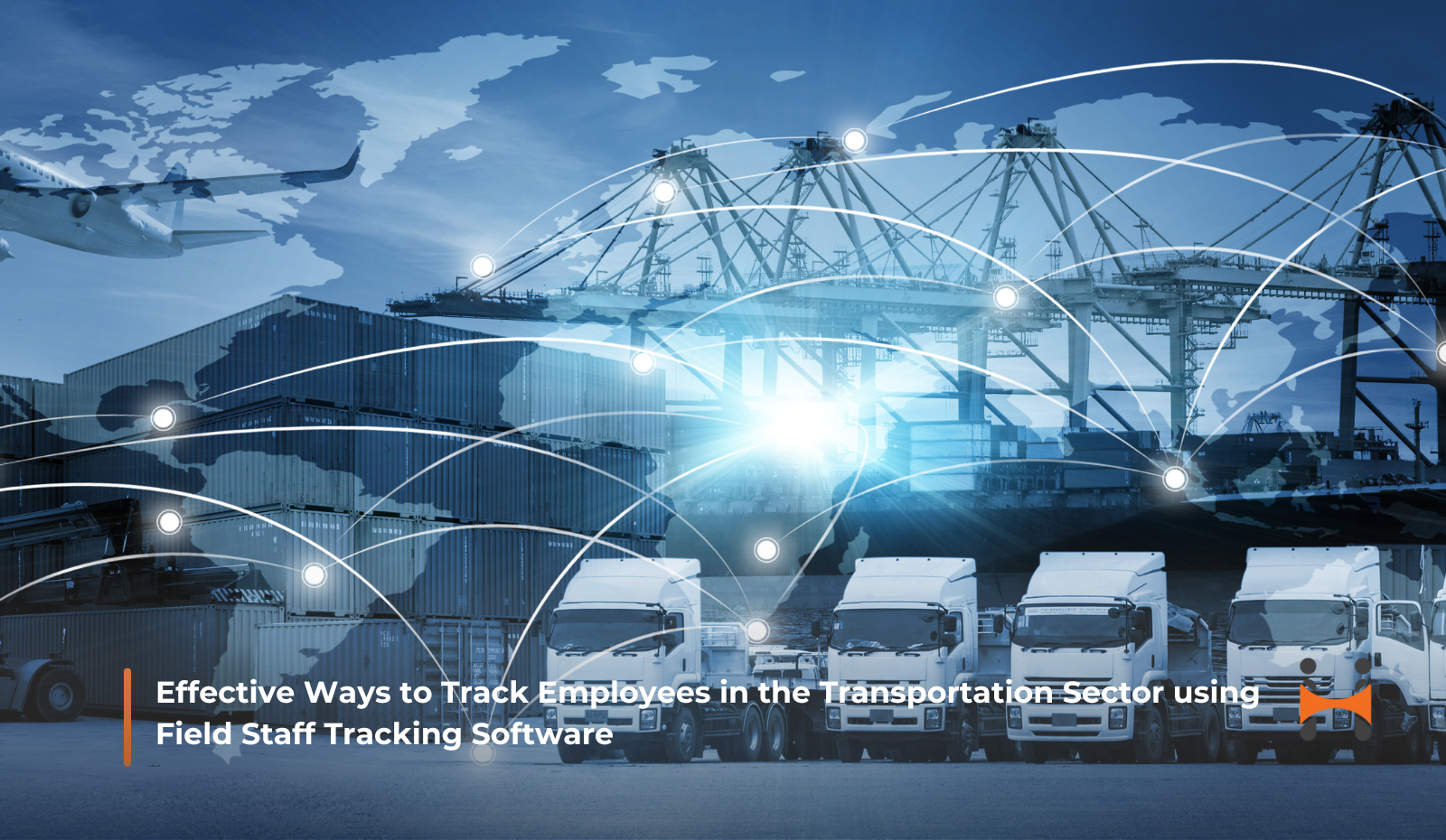
    The transportation industry depends on accuracy. Deliveries need to arrive on time, drivers need safe routes, and every employee on the road must be accounted for. Coordinating all of this is difficult when staff are spread across cities, highways, and customer locations. For transport companies, having visibility into employee activities is not just useful, it is essential.

    Field employee tracking software and field staff tracking software make this possible. These tools let companies monitor their workforce in real time, track vehicles, improve accountability, and plan better routes. With the right system, transport companies can cut costs, reduce risks, and provide better service to customers. This article shows why these tools are important, how they work, and the benefits they offer to transportation businesses.

    Why Transportation Companies Need Field Employee Tracking Software?

    Transportation relies on a mobile workforce. Drivers, field staff, and logistics teams rarely stay in one place. Without tracking systems, managers often do not know where employees are, how well they are working, or if they are following assigned routes.

    Field employee tracking software solves this by offering real-time visibility so managers always know employee locations. It also ensures workforce accountability by recording tasks, routes, and attendance. Companies save fuel, time, and resources, and customers get accurate delivery updates.

    Field staff tracking software adds more control. With GPS, geofencing, and data insights, transportation companies can run operations more efficiently and safely.

    Effective Ways to Track Employees in the Transportation Sector

    Tracking tools help managers stay on top of employees while they are on the move.

    1. Real time GPS tracking

    With field staff real time tracking, companies can see where employees are at any moment. This makes it easier to check routes, prevent unnecessary detours, and cut down on idle time. Managers can respond quickly when delays happen because of traffic or roadblocks.

    If a delivery truck takes longer than expected, they can check whether it is due to congestion or an off route stop. This reduces downtime and keeps operations more reliable.

    2. Attendance and Work Hour Tracking

    Employee field tracking records attendance automatically when staff start or finish a route. This removes the need for manual timesheets and reduces payroll errors. It also helps companies prevent unnecessary overtime. For transportation firms with large fleets, this brings accuracy in pay and better workforce planning.

    3. Geofencing for Smarter Monitoring

    Field tracking software can create virtual boundaries around depots, client locations, or delivery zones. Managers get alerts when employees enter or leave these areas. This helps improve safety. For example, if a driver leaves a set highway route late at night, the system flags it right away.

    4. Driver Behavior Monitoring

    Fuel and safety are two major costs in transportation. With field employee tracking solutions, companies can watch driver habits such as sudden braking, speeding, or long idling. Correcting these patterns helps improve safety and lowers fuel use. Many transport firms see fewer accidents and better mileage when driver behavior is monitored.

    5. Route Optimization

    Efficient route planning saves time and costs. Field sales employee tracking software calculates the best routes using traffic, weather, and road conditions. Drivers receive these routes automatically. Managers can adjust them in real time if conditions change. This reduces fuel use and helps deliveries reach customers faster. It also makes delivery times more reliable for customers.

    Benefits of Field Employee Tracking Software for Transportation

    1. Increased Productivity

    Track field employees features let managers see all tasks clearly without relying on calls or guesswork. Employee activity is recorded, keeping staff accountable. Managers can reassign work quickly when delays happen. This reduces downtime and improves overall productivity.

    2. Enhanced Employee Safety

    Safety is a top priority for drivers and field staff. Field staff location tracking lets managers know where employees are at all times. In case of emergencies or breakdowns, help can be sent immediately. Monitoring behavior reduces reckless driving and lowers accident risks. Employees feel more secure knowing their location is visible to their employer.

    3. Cost Reduction

    Extra miles and idling increase costs. Field employee tracking solutions help companies save fuel by planning efficient routes. They reduce maintenance costs by monitoring driving habits. Automated attendance tracking lowers payroll errors. Small savings on each trip add up to significant reductions over time.

    4. Better Customer Service

    Customers expect more than fast delivery. They want transparency. Employee transportation tracking provides real-time updates on deliveries. Delays can be communicated accurately, avoiding confusion. Reliable tracking builds trust and loyalty. For logistics companies, this clarity gives a competitive advantage.

    5. Smarter Decision Making

    Detailed reports on routes, attendance, and performance give managers useful insights. They can see which employees are most efficient, which routes cause delays, and where resources are being wasted. Analytics from field employee tracking software help businesses make better decisions and improve operations over time.

    What’s Next?

    The transportation industry is moving fast, and manual tracking is no longer enough. Companies need to adopt field employee tracking software and field staff tracking software to get real-time visibility, improve efficiency, and keep employees safe.

    With GPS monitoring, geofencing, attendance tracking, driver behavior insights, and route optimization, businesses can manage their workforce better and adapt to changing demands. These tools help managers run operations smarter, safer, and more focused on customers.

    Request a free demo today to see how our happisales field employee tracking software can improve efficiency and results for your transportation business.


    Frequently Asked Questions

    1. What is the best field employee tracking software for transportation companies?

    The best software depends on your business size and needs. Choose one with real-time GPS tracking, attendance management, driver behavior monitoring, geofencing, and route optimization. These features help manage staff, save costs, and make deliveries reliable.

    2. How can I track my field staff in real time?

     Field employee tracking software uses GPS to show where staff are at any moment. Managers can monitor routes, track tasks, and respond quickly to delays. This keeps employees accountable and deliveries on schedule.

    3. How does GPS tracking improve efficiency and reduce costs for transport businesses?

    GPS tracking shows the location of vehicles and staff. It prevents detours, cuts idle time, and plans efficient routes. This lowers fuel use, reduces overtime, and saves money while keeping operations productive.

    4. Can driver behavior and safety be monitored with field tracking software?

    Yes. The software tracks speeding, harsh braking, sudden acceleration, and long idling. Monitoring these habits reduces accidents, saves fuel, and gives employees peace of mind knowing support is available.

    5. How does route optimization help delivery fleets save time and fuel?

     Route optimization finds the fastest, most efficient paths based on traffic, weather, and road conditions. Drivers get automatic updates, and managers can adjust routes in real time. This reduces fuel use, ensures on-time deliveries, and improves customer satisfaction.

    Happisales CTA
  • 8 Steps to Choose Employee Monitoring Software

    8 Steps to Choose Employee Monitoring Software

    In today’s work environment, employee monitoring software has become an essential tool for companies to keep track of their employees’ activities. This software can help organizations to monitor the productivity, work quality, and overall performance of their employees. With so many options available in the market, choosing the right employee monitoring software can be a daunting task. This blog will outline the steps you can take to select the most suitable employee monitoring software for your organization.

    Employee monitoring software is a type of software designed to track and monitor employee activities while they are using company devices or networks. This software is commonly used by organizations to increase productivity, ensure compliance with company policies and legal regulations, and protect sensitive information.

    Employee monitoring software can be used to track employee activities on computers, mobile devices, and even company vehicles equipped with GPS technology. This software is typically used by businesses in industries such as finance, healthcare, and government, where compliance with strict regulations and protection of sensitive information are critical.

    While employee monitoring software can be beneficial for businesses, it can also raise ethical and legal concerns related to employee privacy. As a result, many businesses implement policies and guidelines to ensure that employee monitoring is conducted in a responsible and ethical manner.

    Here are 8 Steps to Choose Employee Monitoring Software.

    1. Identify your organization’s specific monitoring needs

    The first step in selecting the most suitable employee monitoring software for your organization is to identify your specific monitoring needs. You need to consider what kind of monitoring you want to do, such as monitoring email, chat, social media, or keystrokes. You should also consider the level of detail you need, such as capturing screenshots or recording audio. Additionally, you should consider the frequency of monitoring, whether it is real-time or periodic. By identifying your monitoring needs, you can narrow down the options and find a software that meets your requirements.

    2. Determine the legal implications of monitoring

    Before selecting any employee monitoring software, it is essential to understand the legal implications of monitoring. You should consult with legal experts and consider any legal requirements that may apply to your organization. In some countries, employee monitoring is strictly regulated, and employers must obtain consent from their employees before monitoring them. Failure to comply with legal requirements can result in lawsuits, fines, and damage to the company’s reputation.

    Read More : The Power of Sales Reporting App: How Our App Boosts Your Revenue

    3. Research different employee monitoring software options

    There are various employee monitoring software options available in the market, and it is essential to research each option thoroughly. You can start by reading online reviews, checking the software’s features, and comparing the pricing of different options. It is also crucial to consider the software’s compatibility with your existing systems and any additional hardware or software requirements.

    4. Evaluate the software’s features

    Once you have identified a few employee monitoring software options, the next step is to evaluate their features. You should consider whether the software provides real-time monitoring, screen capture, keystroke logging, file tracking, and other features that meet your specific needs. Additionally, you should consider the software’s user interface, ease of use, and any customization options.

    5. Consider the software’s reporting capabilities

    Another important factor to consider is the software’s reporting capabilities. You should consider whether the software provides detailed reports that can help you analyze your employees’ productivity and work quality. Additionally, you should consider whether the software provides customizable reports that allow you to track specific metrics and key performance indicators.

    6. Ensure the software is secure

    Security is a critical consideration when selecting employee monitoring software. You should consider whether the software provides adequate security measures, such as data encryption, secure login, and password protection. Additionally, you should consider whether the software complies with industry-standard security protocols, such as the General Data Protection Regulation (GDPR) or the Health Insurance Portability and Accountability Act (HIPAA).

    7. Test the software

    Before finalizing your decision, it is essential to test the software thoroughly. You can start by requesting a free trial or a demo version of the software. This will allow you to test the software’s features, user interface, and reporting capabilities. Additionally, you can evaluate the software’s compatibility with your existing systems and the level of technical support provided by the vendor.

    8. Seek feedback from employees

    Employee monitoring can be a sensitive issue, and it is essential to seek feedback from your employees before implementing any monitoring software. You should communicate with your employees about the reasons for monitoring and the benefits it can provide to the organization. Additionally, you should consider their concerns and ensure that the software’s features and reporting capabilities are not overly intrusive.

    Selecting the most suitable employee monitoring software for your organization requires careful consideration of your specific monitoring needs. Overall, Employee Monitoring Software is designed to provide employers with a range of features and capabilities that allow them to monitor employee activities and ensure compliance with company policies and legal regulations. By providing detailed insights into employee productivity and work quality, this software can help businesses optimize their operations and improve their bottom line.

    Check out Happisales and help your business thrive. Schedule a demo today!

    Happisales CTA


  • Geo-Fencing Attendance Tracking for Mobile Teams

    Geo-Fencing Attendance Tracking for Mobile Teams

    Managing a team that’s always on the go-construction crews, delivery drivers, or repair techs-makes tracking attendance tough. You need to know who’s on the job without sorting through piles of timesheets. A geofencing attendance system takes that stress away. This post covers what geo-fencing is, how geofencing attendance tracking works, why it’s useful for geo attendance tracking, and what to watch out for.

    What is Geo-Fencing?

    Geo-fencing sets up an invisible boundary around a place using GPS or RFID. Picture drawing a line around your work site on a map. That’s the geo-fence. When someone with a phone crosses it, the system logs it. This tech shows up in stuff like ads near stores or tracking delivery trucks. For geofencing employee tracking, it’s about knowing when your team starts or ends their shift. It helps track hours and pay without relying on paper or constant check-ins.

    I’ve seen businesses struggle with manual tracking-someone forgets to clock in, and it’s chaos. Geo-fencing makes it automatic, saving everyone a headache.

    How Geofencing Attendance Works?

    So, how does geofencing attendance work? You use software to create a virtual boundary around a work site, like a factory or construction lot. You choose how big it needs to be. When an employee steps into that area with a GPS phone, the system logs them as “in.” When they leave, it logs them out. The info goes to a manager’s phone or computer.

    Some geofencing attendance systems add checks like a fingerprint scan to confirm it’s the right person. It’s a simple way to track who’s working without extra paperwork.

    Why Geo-Fencing is Great for Attendance?

    A geofencing attendance system helps in a few big ways. First, it’s accurate. Geo attendance tracks the exact time someone’s on-site, so you pay them for the hours they work. A guy I know who runs a construction crew said manual timesheets caused endless pay fights. Switching to geo attendance tracking cut those issues down fast.

    It’s also good for safety. If someone steps into a risky area-like a restricted zone in a warehouse-the system can ping a supervisor. That helps stop accidents before they happen.

    Plus, it saves time. Geofencing attendance tracking shows who’s where right away, so managers can plan better and keep things moving.

    How to Set Up Geo-Fencing for Attendance?

    Setting up a geofencing attendance system is straightforward. Here’s the process.

    Create the Geo-Fence

    Use software to map a virtual boundary around your work site. Make it small for an office or bigger for a sprawling job site.

    Add the Tracking App

    Put tracking software on your team’s phones or tablets. They need GPS or RFID to work with the geo-fence. The app logs when they enter or exit.

    Set Work Rules

    Enter schedules, overtime rules, or other policies. This makes sure geo attendance tracking matches your business.

    Automate Tracking

    Once it’s ready, the system tracks attendance automatically. Employees cross the geo-fence, and their hours get logged. Pay gets figured out based on your rules.

    Review the Data

    Check records now and then to catch problems, like a phone with no signal or a dead battery.

    Automating with Geo-Fenced Attendance

    Geo fenced attendance is awesome for automation. Instead of employees clocking in or filling out forms, the system logs them when they hit the geo-fence. A delivery company I know used to waste hours on driver logs. After switching to geofencing attendance tracking, they saved time and had fewer payroll errors.

    It also helps with legal stuff. Labor laws get strict about overtime or wages. A geofencing attendance system keeps clean records, so you’re covered if anyone checks. It’s great for mobile teams, like drivers or techs, where you need to know who’s where without nagging them.

    Benefits of Geo-Fencing Attendance

    Here’s what you get with geo attendance tracking.

    Spot-On Accuracy

    Tracks hours exactly, so no one’s overpaid or underpaid.

    Less Hassle

    No chasing timesheets or checking forms. The system handles it.

    Legal Protection

    Clear records help you follow wage laws and avoid fines.

    Safer Work

    Alerts for risky areas keep workers safe, like near heavy machinery.

    Better Planning

    Real-time data helps you schedule smarter and use your team well.

    Challenges of Geo-Fencing

    Geo-fencing has some downsides. GPS can fail in bad weather or areas with weak signals, like cities or remote spots. If the signal drops, the system might miss someone’s arrival. RFID can have issues too if other devices mess with it.

    Privacy’s a concern. Some workers might feel weird about geofencing employee tracking, thinking it’s too intrusive. I’ve heard folks worry about being watched after work. You need to explain how geo tagging and geo fencing work and that it’s only for job sites.

    Tech can trip you up too. Phones need battery and signal. If someone’s device dies, the system won’t track them. A backup, like manual check-ins, helps.

    Dealing with Privacy Worries

    To keep your team on board, be straight-up. Explain why you’re using a geofencing attendance system-better pay, safer sites, less work. Say tracking stops when they leave the job. Keep their data safe and don’t use it for other stuff. That trust makes geo attendance less of a worry.

    Where Geo-Fencing Shines?

    Geo-fencing works great for mobile jobs. Construction teams use it to confirm workers are on-site. Delivery services track drivers at drop-off points. Field techs, like plumbers, get logged at customer spots. Adding a fingerprint check makes it even more solid.

    For example, a driver hitting a customer’s geo-fence gets logged automatically. It confirms they’re at the right place and tracks hours, keeping things clean.

    What’s Next for Geo-Fencing?

    Geo-fencing tech is improving. Better GPS and RFID will handle tricky spots like cities or rural areas. Linking it with payroll or HR tools will make things smoother-attendance data could go straight to accounting. As mobile work grows, geofencing attendance tracking will be key for staying organized.

    What’s next?

    Tracking attendance does not have to be complicated for your mobile team. Your crew can stay productive while work runs smoothly. A geofencing system records hours accurately without extra paperwork.

    Happisales Field Force Automation Software lets you track employee attendance, work hours, and job site visits in real time. It works even offline. Managers get clear visibility of field operations while teams focus on their tasks. You can start a 14-day free trial or request a live demo to see how geofencing attendance fits your workflow.

    Happisales CTA

  • The Power of Sales Reporting App: How Our App Boosts Your Revenue

    The Power of Sales Reporting App: How Our App Boosts Your Revenue

    As a business owner or sales professional, you know that sales are the lifeblood of your company. Without sales, your business cannot survive. But simply making sales is not enough. To truly succeed, you need to understand the patterns and trends in your sales data. This is where a sales reporting app comes in.

    In this article, we will explore the power of sales reporting and how our app can help you boost your revenue.

    First, let’s define what sales reporting is. Sales reporting is the process of analyzing and interpreting sales data to gain insights into your business’s performance. This includes metrics such as revenue, units sold, conversion rates, and customer demographics. Sales reporting can help you identify trends, strengths, weaknesses, and opportunities in your sales process.

    Now, let’s look at some of the ways our app can help you boost your revenue through sales reporting.

    1. Understand your customers: Our app provides detailed customer data, including demographics, purchasing history, and behaviour. This information can help you tailor your marketing efforts and improve customer retention.

    2. Monitor your sales pipeline: Our app allows you to track your sales pipeline in real-time, from initial lead to final sale. This information can help you identify bottlenecks in your sales process and make necessary adjustments to increase efficiency.

    3. Forecast future sales: Using historical sales data and trends, our app can help you predict future sales and revenue. This information can help you make informed decisions about inventory, staffing, and marketing budgets.

    4. Measure the effectiveness of marketing campaigns: Our app can help you track the success of your marketing campaigns by analyzing the impact on sales. This information can help you optimize your marketing efforts and improve ROI.

    5. Analyze customer behavior: Our app can help you understand your customers’ behavior and preferences, such as their buying patterns, purchase frequency, and average order value. By analyzing this data, you can tailor your sales strategy to better meet their needs and increase customer loyalty.

    6. Optimize pricing strategy: With our app, you can analyze pricing data and compare it to your sales metrics to optimize your pricing strategy. You can identify which products are underpriced or overpriced, and make adjustments to increase sales and revenue.

    7
    . Identify upsell and cross-sell opportunities: Our app can help you identify opportunities for upselling and cross-selling to increase revenue per customer. You can analyze purchase history data to recommend complementary products or offer discounts on larger orders.

    8.Monitor competitor performance: Our app can help you monitor your competitors’ performance and pricing strategies. You can use this data to make informed decisions about your own pricing and marketing strategies, and stay ahead of the competition.

    9. Improve forecasting accuracy: Our app can help you improve the accuracy of your sales forecasting by providing real-time data on sales trends and patterns. This can help you make more informed decisions about inventory management and staffing, and avoid stockouts or overstocking.


    But how do you get started with sales reporting and our app? Here are some tips:

    1. Define your sales metrics: Before you start analyzing your sales data, it’s important to define the metrics that matter most to your business. This may include revenue, units sold, conversion rates, and customer acquisition costs.

    2. Set up data tracking: To get the most out of our app, you need to ensure that your sales data is being tracked accurately and consistently. This may involve setting up integrations with your e-commerce platform, CRM, or other sales tools.

    3. Analyze your data: Once you have your sales data in our app, it’s time to start analyzing it. Look for patterns, trends, and outliers that can help you make informed decisions about your sales strategy.

    4. Take action: The insights you gain from sales reporting are only valuable if you take action on them. Use the information you’ve learned to make changes to your sales process, marketing campaigns, and overall strategy.

    5. Set goals: Before you start analyzing your sales data, it’s important to set goals for what you want to achieve. This could be increasing revenue, improving conversion rates, or targeting a new customer segment. Having specific goals in mind will help you focus your sales reporting efforts and measure your progress.

    6. Customize your reports: Our app allows you to customize your sales reports to fit your specific needs. Take advantage of this feature by creating reports that are tailored to your business and sales goals. This will help you gain deeper insights into your sales data and make more informed decisions.

    7. Collaborate with your team: Sales reporting shouldn’t be a one-person job. Involve your team in the process by sharing reports and insights, and encouraging discussion and feedback. This will help everyone stay on the same page and work together towards your sales goals.

    8Continuously monitor and adjust: Sales reporting is not a one-time task, but an ongoing process. Continuously monitor your sales data and adjust your strategy as needed. This will help you stay ahead of trends and make proactive decisions that can have a positive impact on your revenue.

    In conclusion, sales reporting is a powerful tool for businesses of all sizes. By using our app to track and analyze your sales data, you can gain valuable insights into your business’s performance and make informed decisions that can help you boost your revenue. So why wait? Start using our app today and take your sales to the next level!

    Happisales CTA

  • 6 ways to Maximize Sales Efficiency with Field Sales Tracking Software

    6 ways to Maximize Sales Efficiency with Field Sales Tracking Software

    Field sales tracking is a system or process used by businesses to monitor and analyze the activities of their sales representatives who operate outside of the office, in the field. It involves tracking the performance of the sales team, monitoring their daily activities, and measuring their progress towards meeting sales targets. In today’s sales world, field sales tracking software has become an important tool for companies to maximize their efficiency.

    Below are six ways you can maximize your efficiency with field sales tracking software:

    1. Track and analyze data in real time

    With field sales tracking software, sales teams can track their activities in real time. This means sales reps can update their progress on deals, log customer interactions, and even add new leads to the system as they receive them.

    This real-time tracking and analytics capability helps sales teams make informed decisions and identify areas for improvement. For example, sales reps can analyze their performance metrics such as conversion rates, sales cycle length, and lead-to-opportunity ratios to identify bottlenecks in the sales process.

    By tracking and analyzing data in real time, sales teams can respond faster to challenges, make better decisions, and improve overall efficiency.

    2. Optimized lead management

    Lead management is one of the most important aspects of the sales process. Field sales tracking software can help optimize lead management by allowing sales reps to track leads and their stages in the sales funnel.

    Sales reps can add new leads to the system, update lead information and track the progress of each lead. They can also assign leads to different team members and set reminders for follow-up.

    This feature helps sales teams effectively prioritize leads and focus their efforts on those most likely to convert into customers. By streamlining lead management, sales teams can increase efficiency, close more deals, and generate more revenue.


    Also Read : 10 Reasons Why Your Field Sales Team Needs Happisales Field Sales App


    3. Optimize route planning

    Field sales reps spend a lot of time travelling to different locations to meet with customers. Route planning can be a time-consuming task that requires a lot of effort and attention to detail.

    Field service tracking software can help streamline route planning by providing sales reps with tools to plan their trips more efficiently. For example, field sales representatives can use the software to plan their routes based on the location of their customers, the shortest distance, or the fastest route.

    This feature helps sales reps save time, reduce travel costs and maximize their productivity. By optimizing route planning, sales teams can focus on what really matters – customer meetings and closing deals.

    4. Automated reporting

    Reporting is an essential part of the sales process. However, it can be a time-consuming and tedious task that takes valuable time away from sales reps.

    Field sales tracking software can automate the reporting process by automatically generating reports based on data entered into the system. This allows sales reps to generate reports on their sales performance, lead management, and customer interactions with just a few clicks.

    Automated reports help sales teams save time, reduce errors, and focus on selling instead of creating manual reports. Plus, managers can quickly analyze the data and make informed decisions.

    5. Collaboration and communication

    Effective collaboration and communication are critical to the success of any sales team. Field sales tracking software can help sales teams collaborate effectively by enabling them to share data and information in real time.

    Sales reps can use the software to communicate with each other, share customer data and provide updates on their progress. This feature helps sales teams collaborate more efficiently, share best practices, and improve their overall performance.

    6. Mobile accessibility

    Field sales reps are always on the go and need access to important information and data on the go. Field sales tracking software can provide mobile access so that sales reps can access the system anytime, anywhere using their mobile devices.

    With this feature, sales reps can view their schedules, update customer information and communicate with team members while on the road. 


    In summary, Filed sales tracking software is a game changer for companies looking to maximize efficiency in the sales process. Through real-time data tracking and analytics, streamlined lead management, optimized routing, automated reporting, effective collaboration and communication, and mobile accessibility, field sales tracking software can help sales teams improve performance and generate more revenue.

    Whether you’re a small business or a large corporation, investing in field sales tracking software can help you stay ahead of the competition and achieve your sales goals. With the right software and tools, your sales team can work smarter, not harder, and achieve better results. So, start exploring your options for field sales tracking software today and see how it can transform your sales process.

    Check out Happisales and help your business thrive. Schedule a demo today!

    Happisales CTA

  • 10 Reasons Why Your Field Sales Team Needs Happisales Field Sales App

    10 Reasons Why Your Field Sales Team Needs Happisales Field Sales App

    Field sales teams are an integral part of any business that operates in a physical environment. These teams are responsible for generating revenue by meeting potential clients, demonstrating products, and closing deals. However, managing field sales teams can be a daunting task for managers, especially when they have to coordinate multiple teams operating in different locations. This is where field sales tracking app can prove to be an invaluable tool.

    In this blog post, we will discuss ten reasons why your field sales team needs a field sales tracking app.

    1. Increased Efficiency:

    One of the primary benefits of using a field sales tracking app is that it can significantly increase the efficiency of your sales team. The app can streamline the entire sales process, from lead generation to closing deals, by providing real-time information to the sales team.


    2. Better Communication:

    A field sales tracking app allows your team to communicate with each other in real-time, which can be crucial in closing deals. The app can also facilitate communication between the sales team and the support staff, ensuring that everyone is on the same page.

    3. Improved Customer Engagement:

    The app can help your sales team engage with customers more effectively. By providing real-time data on customer preferences and needs, the team can personalize their approach to each customer, resulting in higher conversion rates.


    4. Enhanced Data Collection:

    A field sales tracking app can capture data from every customer interaction, providing your business with valuable insights into customer behavior and preferences. This data can help you optimize your sales process and tailor your product offerings to meet the needs of your customers.

    5. Greater Visibility:

    The app can provide managers with greater visibility into the sales process, allowing them to monitor the performance of individual sales reps and teams. This visibility can help managers identify areas for improvement and optimize the sales process for maximum efficiency.


    6. Increased Accountability:

    A field sales tracking app can help create a culture of accountability within your sales team. By tracking every interaction with customers, the app can help managers identify areas where sales reps may be falling short and provide coaching and support to improve their performance.

    7. Real-Time Tracking:

    With a field sales tracking app, managers can track the location of their sales reps in real-time. This information can help managers optimize the routing of their sales teams, ensuring that they are operating in the most efficient manner possible.

    8. Improved Forecasting:

    By capturing data on every customer interaction, a field service tracking app can help managers forecast sales more accurately. This forecasting can help your business plan more effectively and optimize your resources to maximize revenue.

    9. Better Sales Training:

    The app can help managers identify areas where their sales reps may need additional training or coaching. By providing real-time data on customer interactions, the app can help managers pinpoint areas where reps may be struggling and provide targeted training to address these issues.

    10. Competitive Advantage:

    Finally, a field sales tracking app can provide your business with a competitive advantage. By providing real-time data on customer interactions and sales performance, the app can help your business make informed decisions and stay ahead of the competition.


    In conclusion, a field sales tracking app is an essential tool for any business that relies on a field sales team. By providing real-time data on customer interactions, location tracking, and sales performance, the app can help businesses optimize their sales process, increase efficiency, and stay ahead of the competition. If you haven’t already, it’s time to consider implementing a field sales tracking app for your business.

    Check out Happisales and help your business thrive. Schedule a demo today!

    Happisales CTA